SQL tables
The SQL tables section is where you connect SQL databases and work with your data. You can browse and edit data, define relationships between tables, and write SQL queries — all from inside the builder.
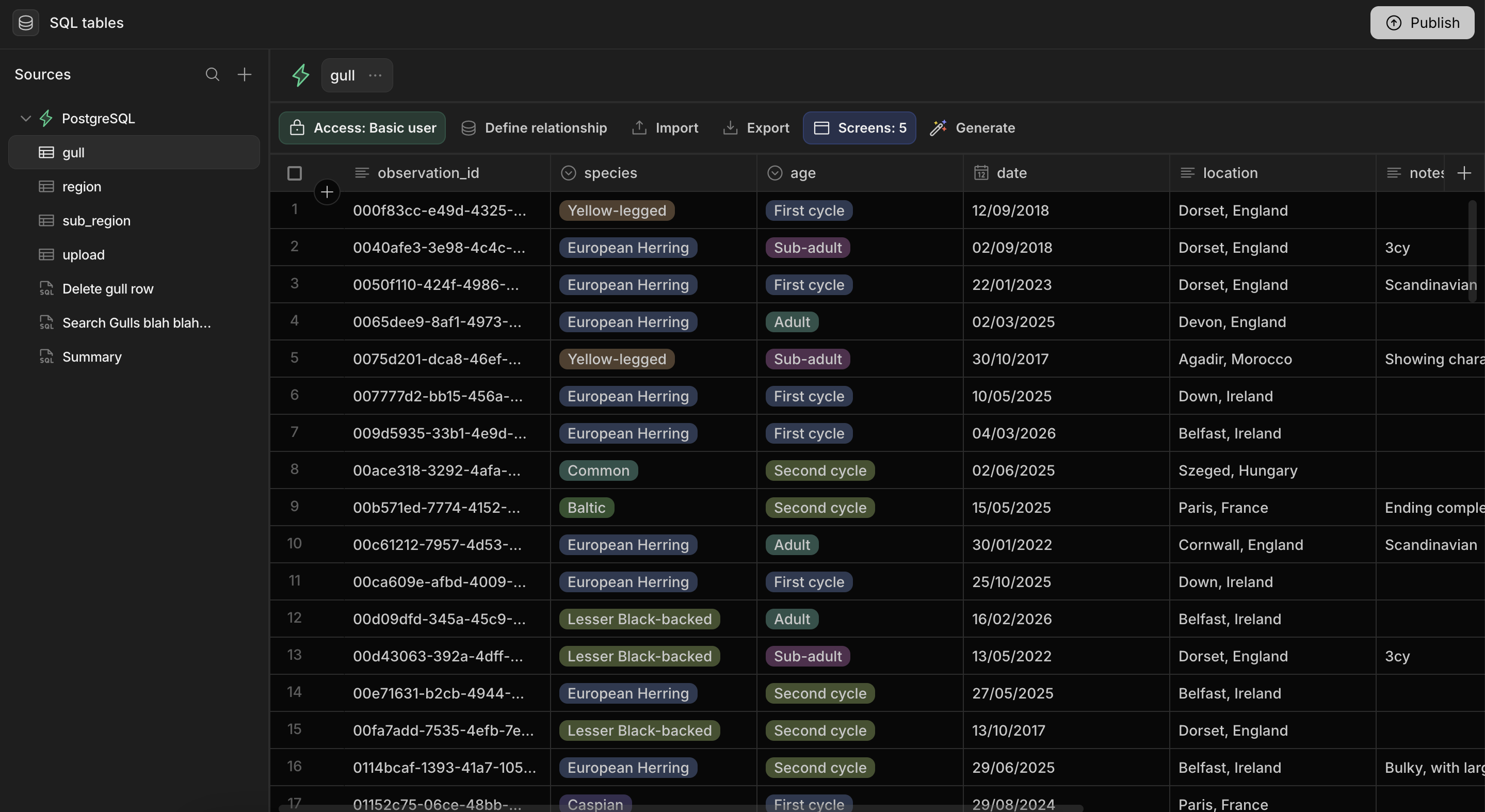
On the left is the Sources panel, which lists each connected database along with its tables and any saved SQL queries. The main area shows the data grid for the selected table.
Supported SQL databases
SuperToolMake connects to the following SQL databases:
- PostgreSQL
- MySQL (and MariaDB)
- Microsoft SQL Server
To connect a non-SQL datasource (such as MongoDB or Redis) or a REST API, use the APIs section instead.
What you can do with a connected database
Once a database is connected you can:
- Browse and edit rows directly in the data grid.
- Edit column types so SuperToolMake interprets your data the way you want.
- Define relationships between tables.
- Write SQL queries for advanced read and write operations, and import existing database views.
- Import and export data as CSV.
- Control access to each table and query with roles.
- Generate screens and apps automatically from a table.
Continue to Connecting a SQL database to add your first source.